
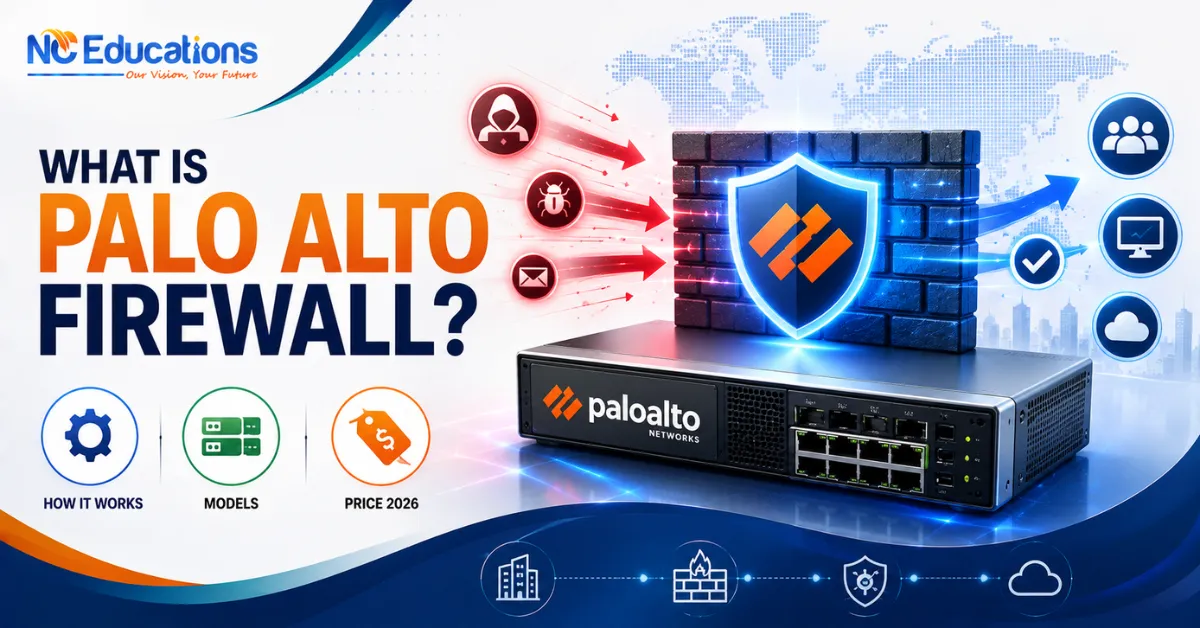
What is Palo Alto Firewall?: It is a modern network security system built by Palo Alto networks. Palo Alto Firewall helps protect computers, networks, applications, and data from cyber threats such as malware, hackers, unauthorized access, and suspicious network activity. It works on identifying applications, users, and different types of network traffic rather than depending on IP only. It is also known as next generation firewall.
Palo Alto Firewall is most used firewall in the network security that helps orgnizations to create more secure and controled environment. It is mainly used in large businesses, government organizations, and other institutions to secure their networks. The firewall provides features like intrusion prevention, URL filtering, antivirus protection, VPN, and advanced threat detection.
There is a good career path is also available in palo alto for professionals who can manage, configure, and operate Palo Alto firewalls. The company itself provide training course to learn Palo alto and its components. After undertanding and acquiring the skills, students take a certification exam. On passing, they recieved a Palo Alto certified – Next-Generation Firewall Engineer title which is validated by the company itself. This opens a door of career opportunities with good pay.
Wanted to know more? Read this guide fully as it covers how that architecture actually works, what makes it different from a traditional firewall. How to take exam, study guide, career path & salary expectations.
What is Palo Alto Firewall and Wow It Works?
A Palo Alto firewall is a next-generation firewall (NGFW) built by Palo Alto Networks. The firewall classifies network traffic by the actual application and user identity involved, rather than by port and protocol alone. It runs on the vendor’s PAN-OS operating system and inspects traffic once, in a single pass, using three core engines (App-ID, User-ID, Content-ID) to apply security policy, detect threats, and control application behaviour at the same time.
The working of Palo Alto Firewall can be describe in below simple points:
- Traffic arrives: When someone tries to access a website, application, or server, the network traffic reaches the Palo Alto firewall.
- Firewall checks the traffic: It examines information such as the source, destination, user, application, and content.
- Security policy is checked: The firewall compares the traffic with the security rules configured by the administrator.
- Traffic is allowed or blocked: If the traffic follows the rules, the firewall allows it. If it is unauthorized or dangerous, the firewall blocks it.
- Threats are detected Palo Alto can identify threats such as malware, suspicious applications, and intrusion attempts.
- Activity is recorded: The firewall keeps logs of network activity, which helps security teams monitor and investigate incidents.
Why Palo Alto Firewalls Are Called “Next-Generation”?
Traditional stateful firewalls make allow/deny decisions primarily using source and destination IP addresses, port numbers, and protocol. That worked when applications reliably used predictable ports – HTTP on port 80, for example. It breaks down when applications tunnel over common ports, hop between ports, or hide inside encrypted traffic, which is now the normal case for most business and consumer software.
Palo Alto Networks built its firewalls around a different premise: identify the actual application and the actual user, regardless of port, protocol, or encryption, and make policy decisions based on that identity.
<cite index=”17-1,17-2″>App-ID uses multiple identification techniques to determine the exact identity of applications traversing the network, including ones that try to evade detection by masquerading as legitimate traffic, hopping ports, or using encryption. Itt works alongside User-ID so administrators always know who is using what on the network. </cite> That combination – application identity plus user identity plus content inspection is the core of what “next-generation firewall” means for this platform.
What is Palo Alto Firewall Used For
Palo Alto firewall are used to secure various internet properties. The primary uses are listed below:
- Block cyberattacks: Palo also is used to prevent malicious traffic from entering a network.
- Control internet access: The firewall alloworblockwebsitesandapplications.
- Secure remote access: It helpemployeesconnectsecurelytocompanyresources.
- Monitor network traffic: Palo Alto detectsuspiciousactivitiesandthreats.
- Protect cloud environments: It helps in securecloudnetworksandworkloads.
What Are Palo Alto Firewall Models?
The latest available models of the firewall are mentioned below in the table:
PA Series – Physical Firewalls
| Series | Models |
| PA-400 |
PA-410, PA-415, PA-440, PA-445, PA-450, PA-455, PA-460
|
| PA-400R |
PA-410R, PA-410R-5G, PA-450R, PA-450R-5G, PA-455R-5G
|
| PA-1400 |
PA-1410, PA-1420
|
| PA-1500 |
PA-1500 Series models
|
| PA-3400 |
PA-3410, PA-3420, PA-3430, PA-3440, PA-3450, PA-3460
|
| PA-3500 |
PA-3500 Series models
|
| PA-5400 |
PA-5410, PA-5420, PA-5430, PA-5440, PA-5450
|
| PA-5500 |
PA-5500 Series models
|
| PA-7000 |
PA-7050, PA-7080, PA-7500 Series
|
| PA-3000 (older) |
PA-3020, PA-3050, PA-3060, PA-3000 Series
|
| PA-5000 (older) |
PA-5020, PA-5050, PA-5060, PA-5200 Series
|
| PA-800 (older) | PA-820, PA-850 |
| PA-500 (older) |
PA-500 Series models
|
| PA-200 (older) | PA-200 |
| PA-220 (older) |
PA-220, PA-220R
|
Virtual and Cloud Firewall Models
| Family | Models / type | Used for |
| VM-Series | VM-50, VM-100, VM-200, VM-300, VM-500, VM-700, VM-1000-HV |
Virtual machines and cloud
|
| CN-Series | Container firewall models |
Kubernetes containers
|
| Cloud NGFW | Cloud-managed firewall service |
AWS cloud security
|
Palo Alto Firewall: Three Core Technologies
What Is App-ID?
App-ID is Palo Alto’s traffic classification technology. <cite index=”17-2″>It enables administrators to see the applications on the network, understand how they behave, and evaluate their relative risk, using multiple identification techniques including application signatures, decryption where needed, protocol decoding, and heuristics. </cite> This means the firewall can tell the difference between, say, Microsoft Teams traffic and a completely different application both using port 443, and apply different policies to each.
App-ID underpins what Palo Alto calls a positive security model: <cite index=”17-3,17-4″>administrators can allow sanctioned applications and specific application functions while blocking or tightly controlling everything else, including unknown traffic, and can further restrict which users and groups are allowed to use those sanctioned applications.</cite>
What Is User-ID?
User-ID ties network activity to actual identities instead of just IP addresses. <cite index=”11-1″>It enables administrators to identify users across the network using a variety of techniques, covering users in different locations across access methods and operating systems including Windows, iOS, macOS, Android, and Linux/UNIX.</cite> The practical benefit is twofold: <cite index=”11-1″>it improves visibility, since a security team can determine what an unfamiliar application is, who is using it, how much bandwidth it consumes, and whether any threats are associated with it, and it enables tying user information directly into security policy</cite> rather than writing rules against IP addresses that may change or be shared by multiple people (as is common with DHCP or NAT).
What Is Content-ID?
Content-ID is the inspection layer. <cite index=”15-1″>It combines a real-time threat prevention engine with a comprehensive URL database and elements of application identification to limit unauthorised data and file transfers, and to detect and block a wide range of exploits, malware, risky web browsing, and both targeted and unknown threats.</cite> Because this happens in the same single pass as App-ID and User-ID evaluation, the firewall isn’t scanning the same traffic stream multiple times through separate engines.
PAN-OS: The Operating System Tying It Together
<cite index=”12-1″>PAN-OS is the software that runs on every Palo Alto Networks next-generation firewall, and by building App-ID, Content-ID, Device-ID, and User-ID natively into the operating system, it gives administrators visibility and control of the applications in use across all users and devices, in all locations, at all times.</cite> Every form factor Palo Alto ships – hardware appliance, virtual machine, container firewall, or cloud service – runs the same PAN-OS engine, which is why a security policy written on one platform generally carries the same logic across the others; what changes between form factors is deployment, sizing, and management, not the underlying policy model.
Palo Alto Firewall Form Factors
Palo Alto Networks ships its firewall technology in four form factors:
| Form Factor | What It Is | Typical Use Case |
| PA-Series | Physical hardware appliances | On-premises perimeter, campus, or data centre deployments |
| VM-Series | Virtualized firewall | Private and public cloud environments (AWS, Azure, VMware, etc.) |
| CN-Series | Containerized firewall | Kubernetes clusters, inspecting east-west pod-to-pod traffic |
| Cloud NGFW | Fully managed firewall-as-a-service | Cloud-native teams who want firewall protection without managing the underlying infrastructure |
Palo Alto Firewall Curriculum Structure
The strongest way to teach this platform is around its actual architecture – SP3, the three core engines, and how they combine into a single-pass inspection model – rather than as a disconnected list of features. Each module builds toward being able to design, configure, and troubleshoot a real deployment.
Palo Alto Firewall Course Syllabus Overview
| Module | Focus Area | What You’ll Learn |
| 1. NGFW Architecture and SP3 Fundamentals | Platform architecture | port-and-protocol, firewalls break down against modern traffic, SP3’s data/control planes, single-pass inspection, and hardware-accelerated parallel processing |
| 2. App-ID – Application Identification | Traffic classification | Classifying traffic using signatures, protocol decoding, and heuristics; building policy around the positive security model |
| 3. User-ID – Identity-Aware Policy | Identity and access | Integrating with directory services, using User-ID data and enforcement |
| 4. Content-ID – Threat and Content Inspection | Threat/content inspection | Real-time threat prevention engine, URL filtering, file/data transfer controls, single pass as App-ID and User-ID |
| 5. Interfaces, Zones, and Deployment Modes | Network integration | Configuring Tap, virtual wire, Layer 2, and Layer 3 interface modes, plus sub-interfaces, aggregate interfaces, etc |
| 6. SSL/TLS Decryption Policy | Encrypted traffic visibility | Planning and configuring decryption policy, accounting for certificate, performance, etc |
| 7. High Availability | Resilience | Active/Passive and Active/Active HA pairs, and session-synchronization tradeoffs, etc |
| 8. Form Factors and Cloud/Container Deployments | Deployment models | PA-Series (physical), VM-Series (cloud), CN-Series (Kubernetes, and Cloud NGFW |
| 9. Troubleshooting and Log Analysis | Operations | Reading and interpreting Palo Alto logs, diagnosing policy hits/misses, and troubleshooting |
Palo Alto Firewalls Common Mistakes Learning
- Treating App-ID as a simple port override. App-ID re-evaluates application identity continuously as more of a session’s payload becomes visible, not just once at connection setup – rules should be written with that in mind.
- Ignoring decryption policy. A large share of real-world traffic is encrypted; without a deliberate SSL/TLS decryption policy, Content-ID and App-ID have much less to inspect. Decryption strategy has real risk, performance, and privacy implications and should be planned deliberately, not treated as a checkbox.
- Choosing a form factor based on brand familiarity rather than where inspection is actually needed. A CN-Series firewall solves a different problem (intra-cluster pod traffic) than a PA-Series appliance at the network edge – they aren’t interchangeable.
- Assuming legacy certification names (PCNSA/PCNSE) still describe the current exam catalogue. See the certification section below.
Palo Alto Firewall Certifications: What Changed
Earlier, the main Palo Alto certifications were PCNSA and PCNSE, with PCCET as an entry-level option. Many older courses and YouTube videos still use these names. However in 2025, Palo Alto changed its certification program and now it focuses more on job roles.
For students learning Palo Alto firewalls today, the main certifications to look at are:
- Network Security Generalist: It is a good starting point to enter into firewall domain.
- Network Security Analyst: It is best for for security monitoring and analysis learning and same jobs.
- Next-Generation Firewall Engineer: It is for students who want to work with Palo Alto firewalls professionally while learning in depth.
Some older exams were retired in 2025. PCNSE remains valid for people who already have it, but Palo Alto recommends the Next-Generation Firewall Engineer certification for new candidates.
For Indian students: Before buying a course or starting exam preparation, always check Palo Alto’s current certification page. Many YouTube videos and study materials still teach the old PCNSA/PCNSE exams.
Who Should Learn Palo Alto Firewalls?
This training assumes a specific starting point, and it’s worth being direct about that rather than implying it suits every beginner.
A strong fit if you’re:
- A network or security engineer who already understands zones, ACLs, and stateful inspection and wants Palo Alto-specific, hands-on configuration skills.
- Coming from a Cisco security background (CCNP Security, CCIE Security) and want to add a specific NGFW vendor to that foundation – the underlying concepts (zone-based policy, identity-aware access control, threat prevention) transfer, but PAN-OS syntax, licensing, and platform architecture are vendor-specific and need dedicated practice.
- A SOC analyst who needs to interpret Palo Alto firewall logs and threat data as part of daily work.
- A cloud engineer who needs to secure VPC or Kubernetes traffic using VM-Series or CN-Series.
Worth a second look if you’re:
- New to firewalls and networking generally – this course assumes you already understand what a zone, an ACL, and stateful inspection are; a general networking or firewall fundamentals course first will make this training far more useful.
- Looking only at brand-name recognition rather than where you actually need to inspect traffic – the right Palo Alto form factor (PA-Series, VM-Series, CN-Series, Cloud NGFW) depends on your actual deployment, which the course should help you reason through rather than assume.
Is Palo Alto Firewall Learning Worth It In 2026?
This is worth covering explicitly because a lot of training content online – including some circulating under Palo Alto training branding – still refers to PCNSA and PCNSE by name. Those exam codes have been retired. As of Palo Alto Networks’ current, live certification portfolio, the framework is organised around four levels – Foundational, Professional, Specialist, and Architect – across three platform tracks: Network Security, Security Operations, and Cloud Security.
For firewall/network security specifically, the current path looks like this:
| Level | Certification | Who It’s For |
| Foundational | Cybersecurity Apprentice | Those starting or transitioning into cybersecurity; validates foundational knowledge across networking, endpoint, cloud, and identity security |
| Foundational | Cybersecurity Practitioner | Basic application of Palo Alto Networks solutions; a step up from Apprentice |
| Professional | Network Security Professional | Entry-level maintenance, configuration, installation, and deployment across the full network security product line |
| Specialist | Network Security Analyst | Object configuration, policy creation, and centralised management using Strata Cloud Manager |
| Specialist | Next-Generation Firewall Engineer | PAN-OS networking/device configuration, integration, automation, and centralised management via Panorama – the closest current equivalent to what PCNSE used to represent |
| Architect | Network Security Architect | Designing secure, scalable enterprise architecture across the network security portfolio |
Palo Alto Training for Cisco Security Professionals
If your background is Cisco security (CCNP Security or CCIE Security), the conceptual overlap with Palo Alto is real – zone-based policy, threat prevention, and identity-aware access control are shared ideas across both platforms. What doesn’t transfer automatically is configuration syntax, licensing structure, and platform-specific architecture – those need dedicated, hands-on Palo Alto practice rather than being assumed from Cisco experience alone.
Why Choose NC Educations?
If you want to move from understanding Palo Alto’s architecture on paper to actually configuring policies, testing App-ID behaviour, and troubleshooting in a lab environment, structured, hands-on training closes that gap faster than self-study alone. Go for our (NC Educations) Palo Alto Firewall training program which is led by Atin Gupta, a CCIE Security-certified trainer (CCIE Security #61100), and gives students 24/7 access to virtual labs so you can practice configuration outside scheduled class time.
NC Educations has trained more than 8,000 students, offers flexible batch scheduling for working professionals, and provides placement assistance to help students connect classroom skills to real job opportunities.
Common Questions About Palo Alto Firewall
Is Palo Alto a firewall or a company?
Ans. Palo Alto Networks is the company; “Palo Alto firewall” is the common shorthand for its next-generation firewall product line, which includes the PA-Series, VM-Series, CN-Series, and Cloud NGFW, all running PAN-OS.
What is the difference between App-ID and a traditional port-based rule?
Ans. A port-based rule allows or blocks traffic based on the port number alone, which an application can evade by using a different or non-standard port. App-ID instead identifies the application itself through signatures, protocol decoding, and behaviour, so the classification holds even if the application doesn’t use its expected port.
Do Palo Alto firewalls inspect encrypted traffic?
Ans. Yes, through policy-controlled SSL/TLS decryption, which allows App-ID and Content-ID to inspect content that would otherwise be invisible. This requires deliberate planning around certificates, performance, and privacy/compliance considerations rather than being enabled by default everywhere.
Which Palo Alto certification should a beginner start with?
Ans. Since Palo Alto Networks restructured its certification catalogue during 2025, beginners should verify the currently active foundational and professional-level, role-based certifications directly on Palo Alto Networks’ certification page before choosing a study path, rather than targeting the retired PCCET/PCNSA exam codes still referenced in older material.
Is a Palo Alto firewall the same as a UTM (Unified Threat Management) device?
Ans. No. A UTM typically bundles multiple separate inspection engines that each process traffic in sequence (multi-pass), which adds latency as more features are enabled. Palo Alto’s SP3 architecture is built around inspecting traffic in a single pass across its core engines, which is a different architectural approach even though both aim to combine multiple security functions in one device.
Related Articles
12 thoughts on “What is Palo Alto Firewall?: How It Work, Models Comparison, Role in Cyber Security, Hardware, Price in India 2026”