
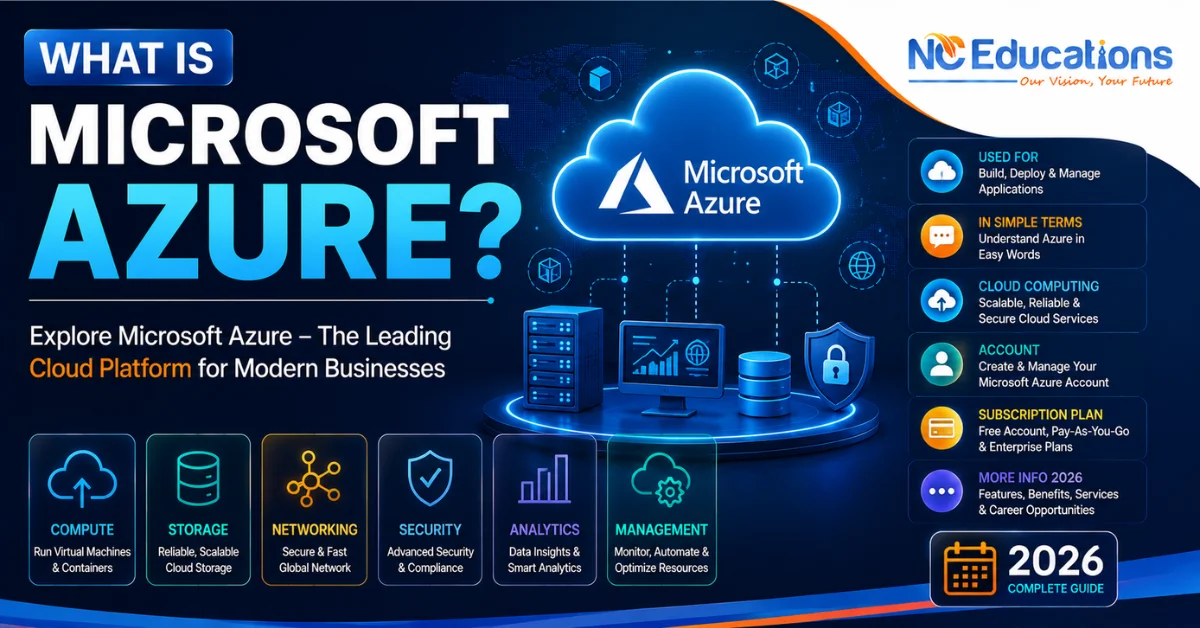
What is Microsoft Azure?: A Microsoft Azure is a cloud computing platform that lets organisations rent computing power, storage, networking, databases, and AI capabilities from Microsoft’s global network of datacenters instead of buying and running that infrastructure themselves.
Microsoft Azure was launched in 2010 nd now has grown into a platform of more than 200 services and competes directly with Amazon Web Services (AWS) and Google Cloud Platform (GCP) as one of the three major public cloud providers. It is a whole industry in itself which provides services, business solutions, facilites and career opportunities through its certifications.
If you are a business owner wanted a cloud services. Or someone from networking or systems administration background and considering a move into cloud computing careers with Azure. Or you’re simply trying to understand what “Microsoft Azure” actually refers to then this guide is for you. It will help you understand in
- what is azure?
- how it works?
- what are azure certifications?
- how to start career in it?
- what are the job options with average pay in 2026.
How Microsoft Azure Actually Work?
Azure runs on physical datacenters that Microsoft owns and operates in regions around the world. When you provision a resource – a virtual machine, a storage account, a database – Azure allocates capacity from that underlying infrastructure and exposes it to you through a management layer: the Azure Portal (a web console), Azure CLI, PowerShell, or Infrastructure-as-Code tools like ARM templates, Bicep, or Terraform.
This is the core shift cloud computing represents: instead of your organisation owning the hardware and being responsible for its maintenance, cooling, power, and replacement cycle, Microsoft owns and operates the physical layer, and you consume capacity as a metered service – similar in concept to paying an electricity bill based on usage rather than building your own power plant.
What is Microsoft Azure Services?
Microsoft Azure services are cloud based services such as data storage, applications running, networks management, databases uses, and AI build solutions over the internet without owning all the required hardware. Learning these models is the easiest way to understand Azure.
Azure Cloud 4 Core Service Models
You need to understand its 4 core services models that are currently delivered to understand Microsoft Azure.
| Model | What it provides | What you manage | What Azure manages | Azure example |
| Infrastructure as a Service (IaaS) | Virtual machines, storage and networking | OS, applications, data and configurations | Physical hardware, data centre, networking and virtualisation |
Azure Virtual Machines
|
| Platform as a Service (PaaS) | A ready-to-use platform for developing and running applications | Application code and data | Servers, OS, runtime, patching and platform infrastructure |
Azure App Service
|
| Software as a Service (SaaS) | Complete software that is ready to use | Your data, settings and how you use the software | Application, OS, servers, storage and infrastructure | Microsoft 365 |
| AI as a Service (AIaaS) | Ready-to-use AI and machine learning capabilities through cloud services | Your data, prompts, applications and AI configurations | AI infrastructure, models/services, servers and underlying platform |
Azure OpenAI Service / Azure AI Services
|
Core Azure Service Categories
Microsoft Azure organises its 200+ services into functional categories. The ones most relevant to someone starting out:
- Compute – It provides virtual Machines, Kubernetes Service (AKS) for containers, Functions for serverless code.
- Storage – It provides Blob Storage (unstructured data/files), Files (network file shares), Disk Storage (for VMs).
- Networking – It provides Virtual Networks (VNets), Network Security Groups (Azure’s equivalent of firewall rule sets), VPN Gateway and ExpressRoute for hybrid/on-premises connectivity, Load Balancer and Application Gateway.
- Databases – It provides SQL Database (managed relational database), Cosmos DB (globally distributed NoSQL database).
- Identity and access – It allows Microsoft Entra ID (formerly Azure Active Directory) for authentication and access control across Azure and Microsoft 365.
- AI and machine learning – It offers AI Foundry, Machine Learning, and OpenAI Service for building AI-powered applications.
Why Organizations Use Microsoft Azure?
Organisations adopt Azure for reasons that go beyond simply “not owning hardware”:
- Elastic scalability – resources can scale up or down based on demand, and you pay for what you use rather than provisioning for peak capacity year-round.
- Global reach – deploying applications across Azure’s regions can place resources physically closer to end users, reducing latency
- Reduced operational burden – Microsoft handles physical maintenance, and PaaS/SaaS services handle much of the OS and runtime patching
- Integration with the Microsoft ecosystem – organisations already running Microsoft 365, Windows Server, or Active Directory often find Azure integrates more directly with that existing environment than a competing cloud provider would
- Built-in AI services – Azure provides direct access to OpenAI’s models through Azure OpenAI Service, alongside its own machine learning tooling, without organisations needing to build AI infrastructure from scratch
Azure vs. AWS: A Practical Comparison
Microsoft Azure and AWS are the two most widely adopted public cloud platforms, and the underlying concepts largely map across both. The practical difference for a learner is usually less about technical capability and more about which ecosystem your target organisation already uses.
| Aspect | Microsoft Azure | AWS |
| Best fit | Organisations already using Microsoft 365, Windows Server, or Active Directory | Organisations wanting the platform with the longest market history and broadest third-party tooling |
| Compute service naming | Virtual Machines | EC2 |
| Identity service | Microsoft Entra ID | IAM |
| Hybrid/on-prem integration | Deep integration with Windows Server and Active Directory via Azure Arc and Entra ID | Strong hybrid options via AWS Outposts, but less native Windows-ecosystem integration |
| Beginner certification | AZ-900 (Azure Fundamentals) | AWS Certified Cloud Practitioner |
Neither platform is objectively “better” – the right choice depends on the target job market and the technology stack a given organisation already runs. Many cloud professionals eventually build familiarity with more than one provider over their career.
Microsoft Azure Certification Paths 2026
Microsoft’s certification structure is organised in tiers:
- Azure Fundamentals (AZ-900) Certification: It is the standard entry point, covering cloud concepts, core Azure services, and basic security/governance features. It has no prerequisites and is a reasonable starting point even for readers without prior IT experience, though it’s optional if you already have solid IT fundamentals.
- Azure Administrator Associate (AZ-104) Certification: It is the most widely held role-based certification, covering hands-on management of Azure identities, storage, compute, and virtual networking. For someone with a networking background, this is typically the most natural next step after AZ-900.
- Azure Solutions Architect Expert (AZ-305) Certification: It is build on associate-level experience and test architecture-level decision-making across compute, storage, security, and governance.
Microsoft periodically updates its certification lineup, retiring and renaming exams as the platform evolves. Therefore it is advisable to look for latest updated information from the Microsoft Learn’s page.
Common Mistakes When Learning Microsoft Azure
- Trying to learn “all of Azure” at once. With 200+ services, attempting broad coverage before building depth in core areas (compute, storage, networking, identity) leads to shallow, unretained knowledge. Start with AZ-900/AZ-104 scope and expand from there.
- Skipping hands-on practice. Azure concepts are learnable from documentation, but portal navigation, resource group organisation, and networking configuration only become intuitive with actual lab practice.
- Confusing service models. Assuming every Azure service works like a virtual machine (IaaS) leads to confusion when working with PaaS services like App Service, which abstract away OS-level management entirely.
- Ignoring cost management early. Azure’s pay-as-you-go model means unmanaged resources (forgotten VMs, oversized databases) directly translate to unexpected billing – a discipline worth building from day one, even in a training/lab environment.
Is Azure Worth Learning for a Networking Professional?
Yes, particularly if your career direction includes hybrid infrastructure, cloud networking, or organisations running a Microsoft-centric stack. Cisco-certified professionals (CCNA/CCNP-level) already understand routing, VLANs, and firewall logic conceptually, which transfers directly to Azure Virtual Networks, subnetting, and Network Security Groups – the learning curve is more about new terminology and portal navigation than entirely new concepts. Azure skills also pair naturally with Cisco SD-WAN and hybrid connectivity work, since many enterprise networks now extend on-premises Cisco infrastructure into Azure via VPN Gateway or ExpressRoute.
Why Choose NC Educations For Azure Training?
Understanding Azure conceptually is a starting point – building the hands-on skills to configure virtual networks, manage identities, and deploy resources is what actually prepares you for certification and job readiness. NC Educations‘ Cloud & Cybersecurity training track, which includes Microsoft Azure, is built around that hands-on requirement:
CCIE-certified trainer – Atin Gupta, CCIE Security #61100, brings a networking-first perspective that’s especially useful for translating familiar concepts (VLANs, firewalls, VPNs) into their Azure equivalents.
- 8,000+ students trained across NC Educations’ Cisco and cloud/security programs.
- 24/7 virtual lab access – practice Azure resource provisioning and configuration on your own schedule.
- Placement support for learners transitioning into cloud or hybrid infrastructure roles.
- Flexible batch scheduling to fit around existing work commitments.
Most Asked Questions About Microsoft Azure
Is Azure a datacenter?
Ans. No. Azure is a cloud computing platform – the services it offers run on Microsoft’s global network of physical datacenters, but Azure itself refers to the platform that manages and delivers those services to customers, not the physical buildings themselves.
What is the difference between Azure and Microsoft 365?
Ans. Microsoft 365 is a SaaS product (email, Office apps, Teams) that itself runs on Azure infrastructure. Azure is the underlying cloud platform; Microsoft 365 is one of many products built on top of it.
Do I need to know coding to learn Azure?
Ans. No, not for infrastructure-focused paths like AZ-900 or AZ-104. Coding becomes relevant for developer-focused certifications (like those covering Azure App Service and Functions) or automation work using Infrastructure-as-Code tools.
Which Azure certification should a beginner start with?
Ans. AZ-900 (Azure Fundamentals) if you’re new to cloud concepts generally. If you already have solid networking or IT fundamentals, it’s reasonable to start directly with AZ-104 (Azure Administrator Associate), though AZ-900 provides useful foundational vocabulary either way.
Is Microsoft Azure harder to learn than AWS?
Ans. Neither platform is inherently harder – the underlying cloud computing concepts (compute, storage, networking, identity) are similar across both. Azure may feel more familiar to those already using Windows Server or Microsoft 365, while AWS has a longer history and broader third-party ecosystem.
Related Articles
| what is ccna |
| What is AWS |
17 thoughts on “What is Microsoft Azure?: Used For, In Simple Terms, Cloud Computing, Account, Subscription Plan & More info 2026”