
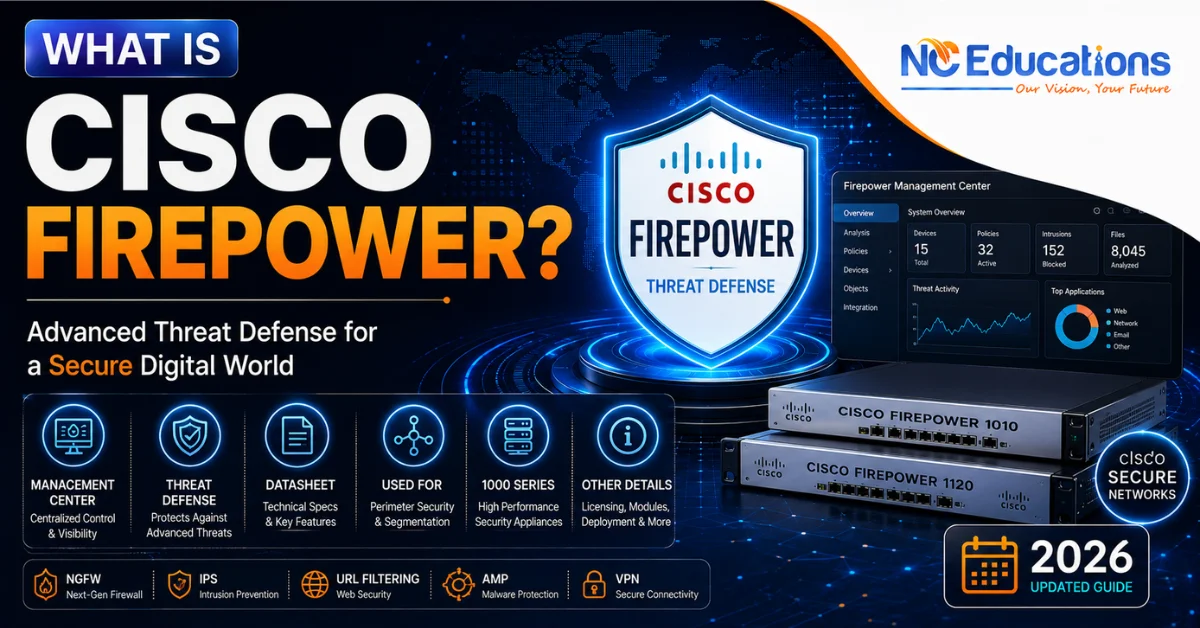
What is Cisco Firepower?: It is Cisco’s next-generation firewalls (NGFWs) that provides network security. It is also known as a product of Cisco that combines software forewall and hardware devices that combines traditional firewall protection and advanced threat protection for network security. It is built around Firepower Threat Defence (FTD), a unified software that combines stateful firewalling, intrusion prevention, application visibility, URL filtering, and malware defence in a single data path.
It runs on dedicated hardware of Cisco known as ASA 5500-X, and as a virtual machine (FTDv). It is managed either through the Firepower Management Centre (FMC) or on-box Firepower Device Manager (FDM) or Cisco Defence Orchestrator (CDO).
If you’re someone curious about Cisco Firepower or wanted to learn for Cisco Firepower certification for a network security role or preparing for Cisco’s CCNP Security track. Then this article is your go to guide in simplest way possible. This will taught you about how it works?, How it differs from the older Cisco ASA firewall?, How to pass certification exam, learning guide, career scopre and more.
What is Cisco Firepower?
Firepower is a next generation firewall of Cisco which combines hardware and software to provide network secuirty. It is a product taht sold for database security, larger interprise secuirty and more. While Cisco Firepower 300-710 is a certification given by Cisco to individual who passed its exam. The certification gives you aunthencity that you have knowledge and practical experience to management Cisco next generation firewall to provide security.
It is an semi advance certificate that helps individuals to land L2 engeering level jobs like Network Security Engineer, Network Access Control Specialist, Network Security Analyst, etc. It is also comes in the path for someone wanted to become CCIE (level 3) network engineer.
Cisco Firepower core software is Firepower Threat Defence (FTD) which is the successor of ASA. FTD runs on purpose-built Firepower/Secure Firewall hardware, on repurposed ASA 5500-X boxes, or as a virtual appliance. It is centrally managed through the Firepower Management Centre.
Cisco Firepower 300-710 Certification Exam Details
| Category | Details |
| Official Exam Name |
Securing Networks with Cisco Firewalls (SNCF)
|
| Exam Code | 300-710 |
| Exam Cost/Fee |
$300 USD (plus local taxes, where applicable)
|
| Cost in India |
INR 27,000 to INR 29,000 + 18% GST
|
| Exam Duration | 90 minutes |
| Number of Questions | 55-65 questions |
| Question Types |
Multiple Choice, Drag-and-Drop, and Simulation tasks
|
| Exam Language |
English and Japanese
|
| Validity Period | 3 years |
| Earned Credentials |
• Cisco Certified Specialist – Network Security Firewalls
• Concentration credit towards CCNP Security |
Cisco Firepower Brief History: From ASA to FTD
Understanding Firepower requires understanding where it came from, because a lot of confusion in the field stems from this transition.
Cisco originally sold two separate security lines: the ASA (Adaptive Security Appliance), a mature stateful firewall, and Sourcefire, a next-generation IPS company Cisco acquired in 2013. For a period, Cisco offered “ASA with FirePOWER Services” – ASA software running the Sourcefire-derived inspection engine as a bolt-on module, each with its own separate management interface (ASDM for the firewall, FMC for the IPS module). This dual-management setup was widely regarded as clunky.
Firepower Threat Defence (FTD) was Cisco’s answer: a unified software image that merges ASA-class firewalling with the Sourcefire-derived Snort inspection engine into a single piece of code, managed from a single console. FTD is now the default image on current Firepower/Secure Firewall hardware, and Cisco has increasingly rebranded the overall line as Cisco Secure Firewall, though “Firepower” remains the name most commonly used in documentation, exam blueprints, and job postings, so both terms are used throughout this guide.
Core Components of Cisco Firepower 300-710
Firepower Threat Defence (FTD): The data plane
- FTD is the unified software that actually inspects and forwards traffic. It performs:
- Stateful firewalling and NAT
- Routing (static and dynamic)
- Site-to-site and remote-access VPN
- Application Visibility and Control (AVC) – identifying and controlling traffic by application, not just port/protocol
- Next-Generation IPS (NGIPS) using the Snort inspection engine
- SSL/TLS decryption for inspection
- Optional malware defence and URL filtering (subscription-based)
FTD can run in routed mode (acting as a Layer 3 hop, most common for perimeter and internal segmentation) or transparent mode (acting as a Layer 2 bridge, useful for inserting inspection into an existing network without renumbering).
Snort – the inspection engine
Firepower’s intrusion detection and prevention capability is built on Snort, the open-source IDS/IPS engine Cisco has continued to develop since acquiring Sourcefire. Current Firepower software supports Snort 3, which introduced a more efficient multi-threaded architecture and simplified rule syntax compared with the earlier Snort 2 engine. Knowing which Snort version a given FTD deployment runs matters in practice, because rule tuning and performance troubleshooting differ between the two.
Cisco Firepower Management options
This is where Firepower differs most from a simple appliance purchase – you choose how you want to manage it:
| Management option | Best fit | Key characteristic |
| Firepower Management Centre (FMC) | Multi-device, enterprise environments | On-prem or virtual server; centralised policy, logging, correlation, and reporting across many FTDs |
| Firepower Device Manager (FDM) | Small deployments, 1–2 devices | Built into the device itself; simplified web UI, no separate server required |
| Cisco Defence Orchestrator (CDO) | Cloud-managed, multi-vendor or hybrid estates | Cloud-delivered management; can also manage ASA and Meraki alongside FTD |
| Cloud-delivered Firepower Management Center | Enterprises wanting FMC-grade policy depth without hosting the server | Cisco-hosted FMC functionality delivered from the cloud |
Choosing between these is a real architectural decision, not just a preference. A single-branch deployment with one or two firewalls rarely justifies standing up a full FMC server; a multi-site enterprise with dozens of FTDs almost always needs the centralised policy and correlation features FMC provides.
- Hardware and virtual platforms: FTD software runs across several form factors:
- Purpose-built Firepower/Secure Firewall appliances: spanning smaller branch/remote-office models up through high-throughput data-centre and service-provider platforms (e.g., the 1000, 2100, 3100, and 4100 series, and the modular 9300 chassis for very high-throughput or multi-instance deployments)
- Repurposed ASA 5500-X hardware running the FTD software image instead of traditional ASA software
- FTDv (Firepower Threat Defence Virtual) – a virtual machine deployable on VMware, KVM, and public clouds including AWS and Microsoft Azure
Exact throughput, session, and interface specifications vary by model and firmware version and should always be checked against the current Cisco data sheet for the specific platform under consideration, since Cisco periodically refreshes the hardware lineup.
How Firepower Licensing Actually Works?
This is one of the more confusing parts of the platform for newcomers, so it’s worth breaking down plainly.
Every registered FTD device automatically receives a Base license, which covers core firewalling, routing, VPN, and Application Visibility and Control (AVC) – the ability to identify and control traffic by application. Everything else is an add-on subscription:
- Threat (T) – enables Next-Generation IPS (NGIPS) using the Snort engine
- Malware Defence (M) – enables Cisco’s malware/AMP-based file inspection
- URL Filtering (URL/C) – enables category- and reputation-based URL filtering, with continuously updated URL intelligence
Cisco’s own documentation notes an important dependency: the Threat/IPS license is a prerequisite for the Malware and URL Filtering licenses – you can’t layer malware defence or URL filtering onto a deployment without IPS also being licensed. Subscriptions are typically sold in 1-, 3-, and 5-year terms, with better per-year pricing at longer terms.
In practice, this means a Firepower deployment’s actual capability depends entirely on which subscriptions are attached – two organisations running identical hardware can have very different real-world protection depending on their license mix. Always verify current licensing terms and part numbers directly with Cisco or an authorised partner before making procurement decisions, since subscription structures are periodically revised.
Cisco Firepower vs. Cisco ASA: What’s the Real Difference?
| Aspect | Cisco ASA (classic) | Cisco Firepower / FTD |
| Core function | Stateful firewall, VPN | Stateful firewall, VPN, plus integrated NGIPS, AVC, and optional malware/URL inspection |
| Inspection engine | ASA inspection only (or bolted-on FirePOWER Services module) | Unified Snort-based inspection built into the same image |
| Management | ASDM (or split ASDM + FMC for FirePOWER Services) | Single console: FMC, FDM, or CDO |
| Typical use case today | Legacy deployments, simple perimeter firewalling without deep inspection needs | Environments requiring application awareness, IPS, and unified policy management |
| Cisco’s current direction | Maintenance mode; new security investment centres on FTD/Secure Firewall | Actively developed platform |
ASA is not “obsolete” in the sense of disappearing overnight – plenty of production networks still run it – but Cisco’s active development and its security certification blueprints have shifted toward Firepower/FTD, which is the practical reason most learners entering network security today study Firepower rather than classic ASA in depth.
Common Deployment Scenarios
- Perimeter firewall – Internet edge protection combining firewalling, IPS, and URL filtering at the network boundary
- Data centre segmentation – Higher-throughput Firepower models (e.g., 4100/9300 series) inspecting east-west traffic between internal zones
- Branch/remote office – Smaller appliances or FTDv managed centrally via cloud-delivered FMC or CDO, avoiding on-site management servers
- Cloud and hybrid environments – FTDv deployed in AWS or Azure to extend consistent policy into cloud workloads
- Common Mistakes When Learning or Deploying Firepower
- Assuming “Firepower” means one specific box. It’s a software platform running across multiple hardware and virtual form factors – always clarify which platform and license tier a requirement or lab refers to.
- Ignoring the Threat/IPS license dependency. Trying to enable malware or URL filtering without an active Threat license is a frequent early configuration confusion.
- Treating FMC and FDM as interchangeable. They serve different scale points; choosing the wrong one leads to unnecessary infrastructure overhead or missing centralised visibility later.
- Confusing Snort 2 and Snort 3 behaviour. Rule syntax and some inspection behaviour differ between engine versions, which matters when troubleshooting IPS alerts.
- Skipping transparent-mode use cases. Learners often only practice routed mode, then are unprepared for scenarios where Layer 2 insertion is the right design choice.
Cisco Firepower Firewall Series
Cisco Firepower series consists several next-generation firewalls designed mainly for small and midsize businesses and branch offices.
| Series | Cisco Branding | Typical Use |
| 200 Series | Cisco Secure Firewall |
Small branches and branch-edge deployments
|
| 1000 Series | Cisco Firepower |
Small businesses and branches
|
| 1200 Series | Cisco Secure Firewall |
Distributed enterprise branches
|
| 2100 Series | Cisco Firepower |
Legacy/older branch and enterprise deployments
|
| 3100 Series | Cisco Secure Firewall |
Medium-sized enterprises and campus networks
|
| 4100 Series | Cisco Firepower |
High-performance enterprise and data center deployments
|
| 4200 Series | Cisco Secure Firewall |
Large enterprise and data center networks
|
| 6100 Series | Cisco Secure Firewall |
High-end/AI-ready data centers
|
| 9300 Series | Cisco Firepower |
High-end modular data center deployments
|
Where Firepower Fits in a Cisco Security Career Path?
Firepower knowledge is directly tested in Cisco’s professional-level security certification. The 300-710 SNCF (Securing Networks with Cisco Firepower Next-Generation Firewall) exam is one of the concentration exams available toward CCNP Security, and it focuses specifically on FTD deployment, policy configuration, and FMC management. For engineers building a security specialisation, hands-on Firepower practice – configuring access control policies, IPS rules, and NAT in a lab environment – is directly relevant to exam and job preparation, not just theoretical study.
Firepower experience also transfers conceptually to other NGFW platforms. The underlying ideas – application-aware policy, unified management, layered subscription-based threat services – appear in comparable forms in Palo Alto Networks and Check Point platforms, which is one reason security engineers often study more than one vendor’s firewall line over a career.
Is Cisco Firepower 300-710 Worth Learning?
For network engineers building toward a security specialisation, yes – with a caveat. Firepower is directly relevant if your target role involves Cisco-centric security infrastructure, or if you’re pursuing CCNP Security or CCIE Security, since Firepower is embedded in the certification blueprint. If your target organisation or role is built around a different NGFW vendor (Palo Alto, Fortinet, Check Point), Firepower concepts still transfer, but the specific configuration skills won’t be directly applicable – plan your lab time accordingly rather than assuming universal portability.
Why Choose NC Educations For Cisco Firepower Training?
Learning Firepower conceptually is one thing; configuring access control policies, NGIPS rules, and FMC objects hands-on is what actually builds job-ready skill. NC Educations‘ Cisco Firepower 300-710 SNCF traning is built around that hands-on requirement:
- CCIE-certified trainer – Atin Gupta, CCIE Security #61100, leads the security curriculum.
- 8,000+ students trained across NC Educations’ Cisco and security programs.
- 24/7 virtual lab access – practice Firepower policy configuration and troubleshooting on your own schedule, not just during class hours.
- Placement support for learners moving into network security roles.
- Flexible batch scheduling to fit around existing work commitments.
Most Asked Questions About Cisco Firepower
Is Cisco Firepower the same as Cisco ASA?
Ans. No. ASA is Cisco’s older firewall platform. Firepower Threat Defence (FTD) is the newer, unified software that combines firewalling with integrated intrusion prevention, and it can run on the same 5500-X hardware ASA used, as well as on newer purpose-built appliances.
What is the difference between FTD and FMC?
Ans. FTD is the firewall software that inspects and forwards traffic (the data plane). FMC (Firepower Management Centre) is the management server used to configure policy, view logs, and correlate events across one or more FTD devices (the management plane). They are different components that work together.
Do I need a separate license for intrusion prevention?
Ans. Yes. Base firewalling and application control come with every FTD device automatically, but Next-Generation IPS requires an additional Threat license, and that Threat license is also a prerequisite for adding Malware Defence or URL Filtering.
Which Cisco certification covers Firepower?
Ans. The 300-710 SNCF exam, a concentration exam within the CCNP Security track, focuses specifically on deploying and managing Cisco Firepower NGFW.
Can Cisco Firepower run in the cloud?
Ans. Yes. Firepower Threat Defence Virtual (FTDv) can be deployed on VMware, KVM, and public cloud platforms including AWS and Microsoft Azure, and can be managed through cloud-delivered FMC or CDO.
Related Artciles
27 thoughts on “What is Cisco Firepower?: Management Center, Threat Defense, Datasheet, Used For, 1000 Series, Other Details 2026”