
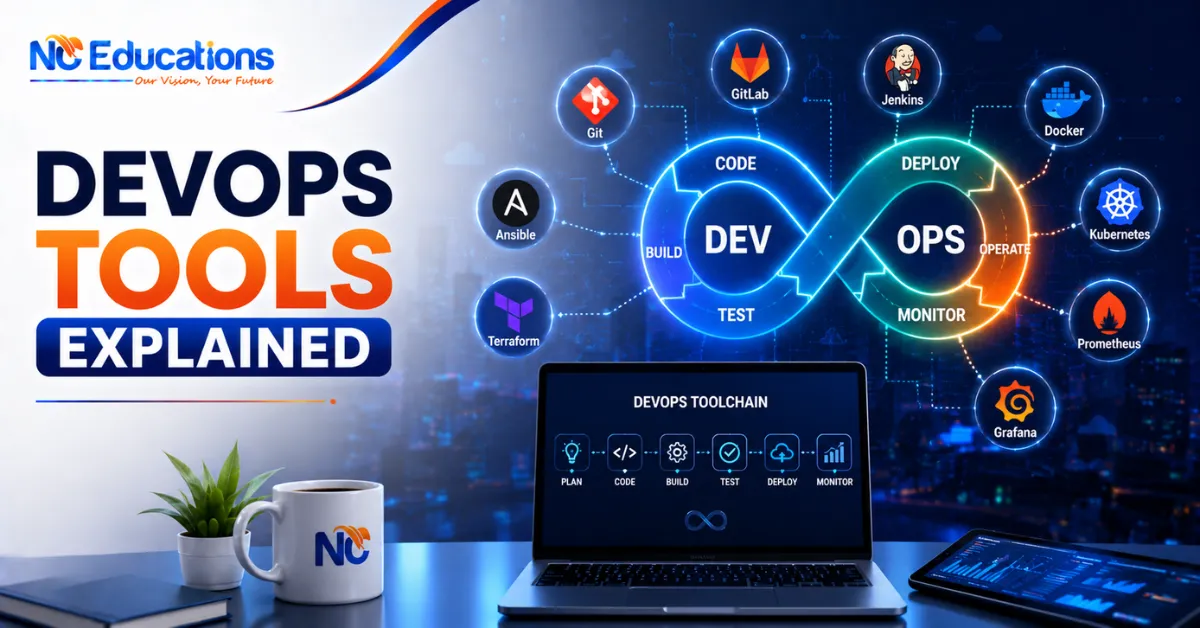
DevOps tools are those software applications that support the a DevOps engineering in their day to day working. They helps in team plan, code, build, test, deploy, monitor, secure applications faster and reliably. These tools focus on automation, collaboration, CI/CD, monitoring, and security to make software delivery smoother and more consistent.
In 2026, DevOps Engineering continue to be high demanding job with highest pays due to high use of cloud computing, automation, etc. Learning DevOps starts with practices the software applications and tools needed to make an IT organization environment faster. Businesses need professionals who can actually operate the tools that make DevOps work in practice, not just thoery.
Because of this, many students, IT professionals, and career switchers are learning DevOps tools alongside DevOps concepts. Understanding the theory is a good start, but knowing how to use the right tool at the right stage is what makes someone job-ready.
Tools such as Git, Jenkins, Docker, Kubernetes, Prometheus, and SonarQube play different roles across the DevOps lifecycle. Knowing what each tool does and how they connect with each other helps learners build practical, real-world DevOps skills.
In this guide, we explain the most important DevOps tools stage by stage, covering what each one does and where it fits into the DevOps lifecycle.
DevOps Tools Explained 2026
DevOps tools useful in 2026 are mentioned below to to learn devops engineering fastest and effience. They are organised in from basics to advance way so even freshers don’t find any difficulty to understand. The tools will help in automating every stage of the software delivery lifecycle so teams can ship faster without sacrificing quality or security.
1. Essential Tools Across the DevOps Lifecycle
Every DevOps tool guide covers eight core stages. If you learn this in structure your life as a devops becomes much easier.
- Plan: Track and manage work using tools like Jira, Confluence, and Trello.
- Code: Write and manage code with Git, GitHub, and GitLab.
- Build: Compile applications and manage dependencies using Maven, Gradle, and npm.
- Test: Check application quality with tools like Selenium, JUnit, and Postman.
- Continuous Integration: Automatically test and validate code changes using Jenkins and GitHub Actions.
- Continuous Delivery/Deployment: Deliver and deploy applications using Docker, Kubernetes, and Spinnaker.
- Monitor & Operate: Monitor system performance and health with Prometheus, Grafana, and Datadog.
- Security: Protect applications and infrastructure using SonarQube, Snyk, and Vault.
2. Code
The “Code” stage is all about writing better code and managing it properly using version control, so teams can collaborate without stepping on each other’s work.
These tools enable collaboration, code versioning, and secure code management across your entire team.
3. Build
Once code is written, it needs to be compiled, packaged, and turned into something that can actually be deployed. Build tools automate this repetitive process.
4. Maven
- Build automation tool primarily used for Java projects
- Manages dependencies automatically
5. Gradle
- Flexible build automation tool that supports multiple languages
- Faster build times compared to older tools
6. Ant
- Java-based build tool that uses XML configuration files
- Offers fine-grained control over the build process
7. npm
- Node.js package manager and build tool
- Handles dependency management for JavaScript projects
8. Yarn
- Fast and reliable dependency manager for JS projects
- Known for secure and consistent builds
These tools automate the build process and ensure consistent, repeatable build output every single time.
9. Test
Automated testing is what catches bugs before they reach your users, and this stage is non-negotiable in any serious DevOps pipeline.
10. Selenium
- Automated testing tool built for web applications
- Supports multiple browsers and languages
11. JUnit
- Unit testing framework specifically for Java
- Widely used for writing repeatable test cases
12. TestNG
- Advanced testing framework with annotations and detailed reporting
- Useful for parallel test execution
13. Postman
- API testing tool for building and testing APIs
- Popular for both manual and automated API testing
14. SonarQube
- Code quality analysis and vulnerability detection tool
- Helps catch issues early before they reach production
Using these tools consistently helps find bugs early and ensures your software stays high-quality and reliable.
15. Continuous Integration
Continuous Integration is where code changes from multiple developers get automatically merged, built, and tested to catch issues before they pile up.
16. Jenkins
- One of the most popular open-source CI servers
- Highly customisable with a huge plugin ecosystem
17. GitLab CI
- Built directly into GitLab for automating builds and tests
- Great for teams already using GitLab for version control
18. GitHub Actions
- Native CI/CD tool inside GitHub
- Lets you automate and customise your entire software workflow
19. Azure DevOps Pipelines
- Supports CI/CD pipelines for any language and platform
- Integrates smoothly with other Azure DevOps services
20. CircleCI
- Fast, cloud-based CI/CD platform
- Popular with modern teams for its speed and simplicity
These tools ensure that code changes don’t break existing functionality before they move further down the pipeline.
21. Continuous Delivery/Deployment
This is the stage where tested code actually gets pushed out to production, ideally with as little manual effort as possible.
22. Ansible
- Automation tool for configuration management
- Uses simple, human-readable playbooks
23. Docker
- Containerization platform to build, ship, and run applications
- Makes applications portable across different environments
24. Kubernetes
- Container orchestration platform for deploying and scaling applications
- Industry standard for managing containers at scale
25. Helm
- Package manager for Kubernetes applications
- Simplifies deploying complex Kubernetes applications
26. Spinnaker
- Multi-cloud continuous delivery platform
- Helps manage deployments across multiple cloud providers
These tools help teams deliver features faster to production while reducing the risk of things breaking along the way.
27. Monitor & Operate
Once your application is live, you need constant visibility into how it’s performing and whether anything is going wrong.
28. Prometheus
- Popular monitoring and alerting toolkit
- Works especially well with Kubernetes environments
29. Grafana
- Analytics and visualisation platform for metrics
- Often paired with Prometheus for dashboards
30. ELK Stack
- Combination of Elasticsearch, Logstash, and Kibana for log management
- Helps search and analyse large volumes of log data
31. Datadog
- Monitoring, security, and analytics platform
- Offers a unified view across infrastructure and applications
32. New Relic
- Full-stack observability platform
- Useful for tracking application performance in real time
These tools ensure system health, performance, and quick issue resolution, which is critical once your application is serving real users.
33. Security
Security can’t be an afterthought in DevOps – it needs to be built into every stage, which is where “DevSecOps” tools come in.
34. SonarQube
- Static code analysis tool for catching security vulnerabilities early
- Also used for general code quality checks
35. Snyk
- Finds and fixes vulnerabilities in your dependencies
- Popular for open-source dependency scanning
36. Trivy
- Vulnerability scanner for containers, files, and repositories
- Lightweight and easy to integrate into pipelines
37. Vault
- Secrets management and data protection tool by HashiCorp
- Keeps API keys, passwords, and certificates secure
38. OWASP ZAP
- Security testing tool for finding vulnerabilities in web applications
- Widely used, free, and open-source
These tools protect your applications and data from security threats, making sure speed doesn’t come at the cost of safety.
What to Expect After Completing DevOps Tools Training?
After completing the learning and uses of DevOps tools course you have just completed the basic and foundation of the profile. Completing only tools doesn’t make you a high earning Devops engineering in the big company. Below is the possible outcomes with next steps for absolute beginners and experienced professionals.
For Beginners (Freshers / Career Starters)
- What to expect immediately after completed devops tools training: You won’t land a senior role on day one. However you will start your Devops career as as a Junior DevOps Engineer, Support Engineer, or Build & Release Engineer.
- Focus on real projects: Now you main goal should be building 2-3 solid personal projects, contibuting to github/open source projects, gaining experience (CI/CD pipeline, Dockerized app, Kubernetes deployment) to showcase on your resume and social profiels.
- Apply broadly: You start targeting startups and mid-size companies first as they easily hire freshers and often give more hands-on exposure across the full DevOps stack.
- Keep learning in parallel: Continue learning new technology, changes, trends updates, AI and strengthening Linux, scripting, and cloud basics even after placement jobs. Since ral project work will demand more than the course alone covers.
- Expected timeline: Most freshers 1 to 3 months of active job searching after devops tools training to land their first DevOps role. You can start applying from the last month of your course completing this will save some time.
For Experienced Candidates (Switching from Dev, QA, or SysAdmin)
- Target the right roles: You can apply directly for DevOps Engineer roles. If you already have 4+ years of relevant IT experience, you may also qualify for senior-level positions.
- Use your existing skills: Your experience in systems, networking, or coding can give you an advantage. Highlight how these skills connect with the DevOps tools you have learned.
- Use your professional network: Internal job opportunities and employee referrals can often help you find suitable roles faster than applying only through job portals.
- Go deeper into one cloud platform: Choose AWS, Azure, or GCP and build strong DevOps skills on that platform to stand out from general candidates.
- Expected timeline: Experienced professionals can often make the transition within 1-3 months. You can also save time by starting applying to devops positions from remaining 1 month of training but you need to demonstrate practical DevOps experience through projects or interviews.
DevOps Tools Training Fees in India
If you are planning to become devops and learn its tools, then there is a average fees from foundation to advance level in India:
| Course Type | Duration | Average Fee |
| DevOps Foundation Course | 4-6 weeks | ₹8,000 – ₹12,000 |
| DevOps Tools Certification (Docker, Kubernetes, Jenkins) | 8-10 weeks | ₹15,000 – ₹22,000 |
| Complete DevOps Engineer Program | 4-6 months | ₹30,000 – ₹45,000 |
| DevOps with Cloud (AWS/Azure) Integrated Course | 5-6 months | ₹35,000 – ₹50,000 |
| DevOps Job-Ready Bootcamp (with placement support) | 6 months | ₹45,000 – ₹60,000 |
Why NC Educations is the Right Partner to Learn DevOps Tools?
Learning DevOps tools becomes easier when you have the right guidance and a practical learning path. At NC Educations, our DevOps Engineer course is designed to help students understand and practise the tools used in modern DevOps environments.
You will learn essential technologies such as Linux, Git, CI/CD, Docker, Kubernetes, cloud platforms, automation, and monitoring. Instead of only learning the theory, you get hands-on practice through practical labs and real-world DevOps scenarios.
The course is suitable for beginners as well as IT professionals who want to build or upgrade their DevOps skills. With live instructor-led training, recorded sessions, practical labs, interview preparation, and career support, you can learn DevOps tools step by step and gain confidence in using them.
If you are serious about building a career in DevOps, learning these tools through structured training and practical experience can give you a stronger foundation for real-world projects.
Explore the NC Educations DevOps Engineer Course and start building practical DevOps skills for your career.
FAQs Related to Devops Tools
Q1. What are DevOps tools?
Ans. DevOps tools are software applications that help automate and streamline the different stages of software development and operations, from planning and coding to deployment and monitoring.
Q2. What are the 7 C’s of DevOps?
Ans. The 7 C’s of DevOps are Continuous Planning, Continuous Development, Continuous Integration, Continuous Testing, Continuous Deployment, Continuous Monitoring, and Continuous Feedback.
Q3. What are the five pillars of DevOps?
Ans. The five pillars are usually described as Collaboration, Automation, Continuous Integration/Delivery, Monitoring, and Security; together, they form the backbone of a strong DevOps culture.
Q4. Is Azure a DevOps tool?
Ans. Yes, Azure DevOps is Microsoft’s dedicated suite of tools covering boards, repos, pipelines, and artefacts for managing the full DevOps lifecycle.
Q5. What are the main tools used in DevOps?
Ans. Some of the most widely used DevOps tools include Git, Jenkins, Docker, Kubernetes, Ansible, Prometheus, and Grafana, each handling a different stage of the pipeline.
Q6. What are the 7 DevOps practices?
Ans. Common DevOps practices include continuous integration, continuous delivery, infrastructure as code, automated testing, monitoring, configuration management, and microservices architecture.
Q7. What are the 7 phases of DevOps?
Ans. The DevOps lifecycle typically includes Plan, Code, Build, Test, Release, Deploy, and Operate/Monitor, forming a continuous feedback loop.
Also Read