
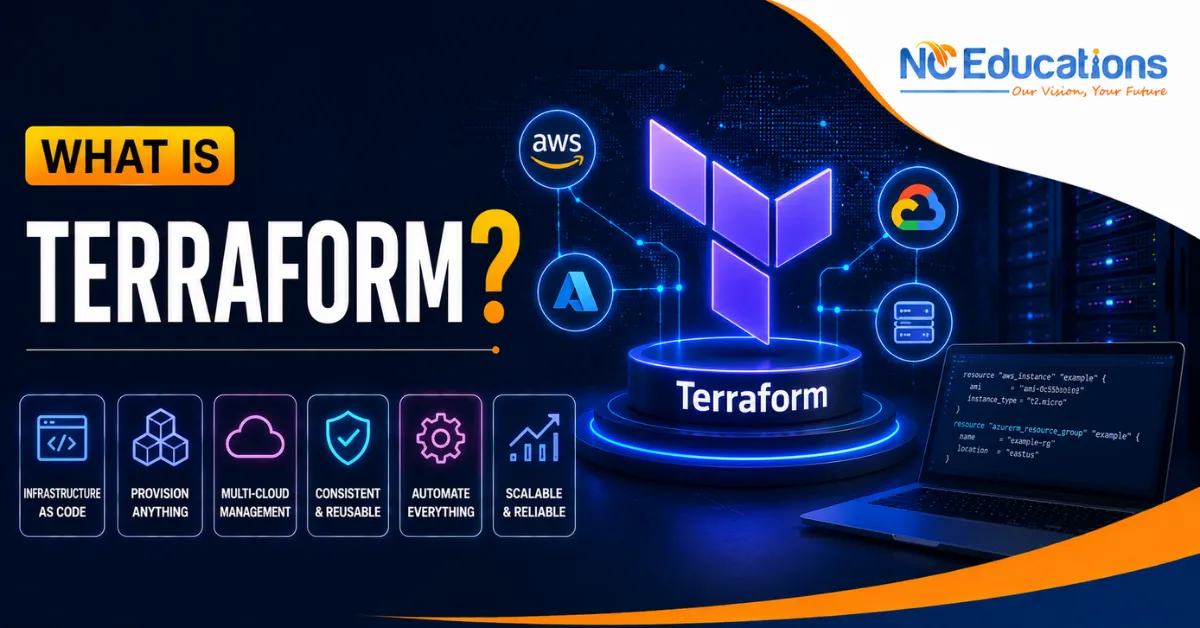
What is Terraform?: By this point, if you’ve been exploring DevOps or cloud roles, you’ve come across Docker for packaging apps and Kubernetes for managing them at scale. But there’s another tool that quietly powers most modern cloud setups which is Terraform. Instead of manually clicking through AWS or Azure dashboards to create servers, networks, and storage, DevOps engineers write code that does it for them, and Terraform is one of the most popular tools that exactly do that.
If you’re new to this space, the idea of “writing code to create cloud infrastructure” might sound unusual at first. Isn’t infrastructure just servers and networks you set up manually? Not anymore. That’s the whole point of what’s called Infrastructure as Code, and Terraform is the tool that made this approach mainstream across the industry.
In this article, we’ll break down what Terraform actually is, how it works, what a typical Terraform course covers, who should learn it, common mistakes students make, and what to explore after mastering it. By the end, you’ll understand why Terraform has become such a valuable skill for DevOps and cloud roles in India and beyond.
What is Terraform?
Terraform is an open-source Infrastructure as Code (IaC) tool developed by HashiCorp that lets you define and manage cloud infrastructure using simple configuration files instead of manually setting things up through a cloud provider’s dashboard. Instead of clicking around AWS or Azure to create a server, you write code describing what you want, and Terraform creates it for you automatically.
The biggest advantage is consistency – since your infrastructure is written as code, you can reuse it, version it using Git, and recreate the exact same setup across different environments without manual errors creeping in. This is a big reason why Terraform in DevOps has become such a standard practice.
A common question people ask is what Terraform is used for – it’s mainly used to provision and manage cloud resources like virtual servers, networks, databases, and storage across providers like AWS, Azure, and GCP, all through the same consistent workflow, which is exactly why so many DevOps teams rely on it to keep infrastructure organised and repeatable.
Example of Terraform
Imagine you need to set up a virtual server, a database, and a storage bucket on AWS for a new project. Doing this manually through the AWS console means clicking through multiple pages, remembering settings, and hoping you don’t miss a step.
With Terraform, you write a configuration file describing exactly what you need – the server type, database settings, and storage details – and run a single command. Terraform then creates all of it automatically, in the correct order, and keeps track of everything it built. If you need the same setup again for testing, you simply reuse the same Terraform example configuration.
How Terraform Works?
Terraform works using configuration files written in HashiCorp Configuration Language (HCL), a human-readable format where you describe your desired infrastructure. Once you write this configuration, Terraform follows a simple workflow: it plans the changes by comparing your desired setup with what currently exists, shows you exactly what it’s about to create, modify, or delete, and then applies those changes once you approve them.
Terraform keeps track of everything it manages using a state file, which acts like a record of your current infrastructure. This is what allows Terraform to know what already exists, so it only makes the changes actually needed instead of recreating everything from scratch each time. Because the same configuration can be reused across multiple cloud providers, Terraform has become a preferred tool for teams managing infrastructure across AWS, Azure, and GCP together.
Terraform Course Syllabus Overview
A well-designed Terraform course usually takes you from writing your first configuration file to managing real production infrastructure. A typical syllabus includes:
- Introduction to Infrastructure as Code and why it matters
- Terraform installation and setup
- Understanding HCL syntax and writing basic configurations
- Terraform providers and connecting to AWS, Azure, or GCP
- Terraform state files and remote state management
- Variables, outputs, and reusable Terraform modules
- Terraform plan, apply, and destroy workflows
- Managing multiple environments (dev, staging, production)
- Integrating Terraform into CI/CD pipelines
- Best practices for team collaboration and version control
- Hands-on projects provisioning real cloud infrastructure
A good course focuses heavily on hands-on labs, since Terraform is best learned by actually provisioning and tearing down real resources.
Who Terraform Course Is For?
The Terraform courses suit certain learners better than others. So if you are planning to learn this course must read below points first and then make a descision.
Good fit if you:
- Already have basic familiarity with a cloud platform like AWS or Azure
- Are a DevOps engineer, cloud engineer, or system admin managing infrastructure
- Are comfortable with basic scripting or configuration files
- Want to automate repetitive infrastructure setup tasks
Might struggle if you:
- Have no exposure to cloud computing concepts at all
- Expect to skip cloud fundamentals and jump straight into automation
- Are looking for a course without practical cloud provisioning labs
- Get uneasy working with billing-enabled cloud accounts during practice
If you’re missing cloud basics, spending a couple of weeks learning AWS or Azure fundamentals first will make Terraform much easier to pick up.
Common Mistakes While Leaarning Terraform Course
- Skipping cloud fundamentals. Terraform provisions cloud resources, so without a basic understanding of services like virtual servers or networking, a lot of the course won’t make sense.
- Not understanding state files properly. New learners often ignore how Terraform’s state file works, then get confused later when things don’t behave as expected during updates.
- Editing infrastructure manually alongside Terraform. Making manual changes in the cloud console after setting something up with Terraform causes mismatches that are confusing to fix later.
- Not practising on a real (even if small) cloud account. Watching tutorials without actually provisioning and destroying resources yourself leaves gaps that show up quickly in interviews.
- Forgetting to destroy test resources. Beginners sometimes leave test infrastructure running and end up with unexpected cloud bills – always clean up after practice sessions.
What After a Terraform Course?
Once you’re confident with Terraform, there are several directions to take your learning further:
- HashiCorp Certified: Terraform Associate certification to validate your skills formally
- Advanced Terraform and module design courses for managing large, complex infrastructure setups
- CI/CD and DevOps courses, where Terraform is often integrated into automated deployment pipelines
- Cloud-specific certification courses, such as AWS Solutions Architect or Azure Administrator
- Configuration management courses like Ansible, which is often compared with and used alongside Terraform
These build naturally on your Terraform foundation and are common next steps for anyone aiming for DevOps or cloud infrastructure roles.
Why Pursue a Terraform Course from NC Educations?
Terraform and Infrastructure as Code skills are increasingly listed alongside Docker and Kubernetes in DevOps and cloud engineering job postings across Indian IT companies, and this demand keeps growing as more organisations move towards automated, code-driven infrastructure management.
NC Educations‘ Terraform course is built around this real hiring landscape – hands-on labs where you actually provision and manage cloud infrastructure rather than just watching demos, a curriculum that connects Terraform directly to real DevOps workflows, and support with portfolio projects and interview preparation. Whether you’re coming in with cloud experience or upskilling from a DevOps background, it’s designed to take you from core concepts to practical, job-ready skills.
FAQs Aboutr What is Terraform
Is Terraform like Docker?
Ans. No. Docker packages applications into containers, while Terraform provisions and manages the underlying cloud infrastructure – the two solve different problems but are often used together in DevOps workflows.
Is Terraform like GitHub?
Ans. Not directly. GitHub is a platform for version control and code collaboration, while Terraform is an Infrastructure as Code tool – though Terraform configurations are commonly stored and version-controlled on GitHub.
Why is Terraform used in DevOps?
Ans. Terraform automates infrastructure provisioning, making it consistent, repeatable, and version-controlled, which fits perfectly into DevOps practices that rely on automation and fast, reliable deployments.
What is Terraform vs Ansible?
Ans. Terraform is mainly used to provision infrastructure like servers and networks, while Ansible focuses on configuration management – installing software and configuring settings on servers that already exist. Many teams use both together.
Related Posts